


If you’ve ever felt overwhelmed juggling ChatGPT prompts, YouTube transcripts, PDFs, research documents, and countless browser tabs, you’re not alone. Modern content creation is often less about writing and more about organizing information before the writing even begins.
That’s exactly the problem Poppy AI aims to solve.
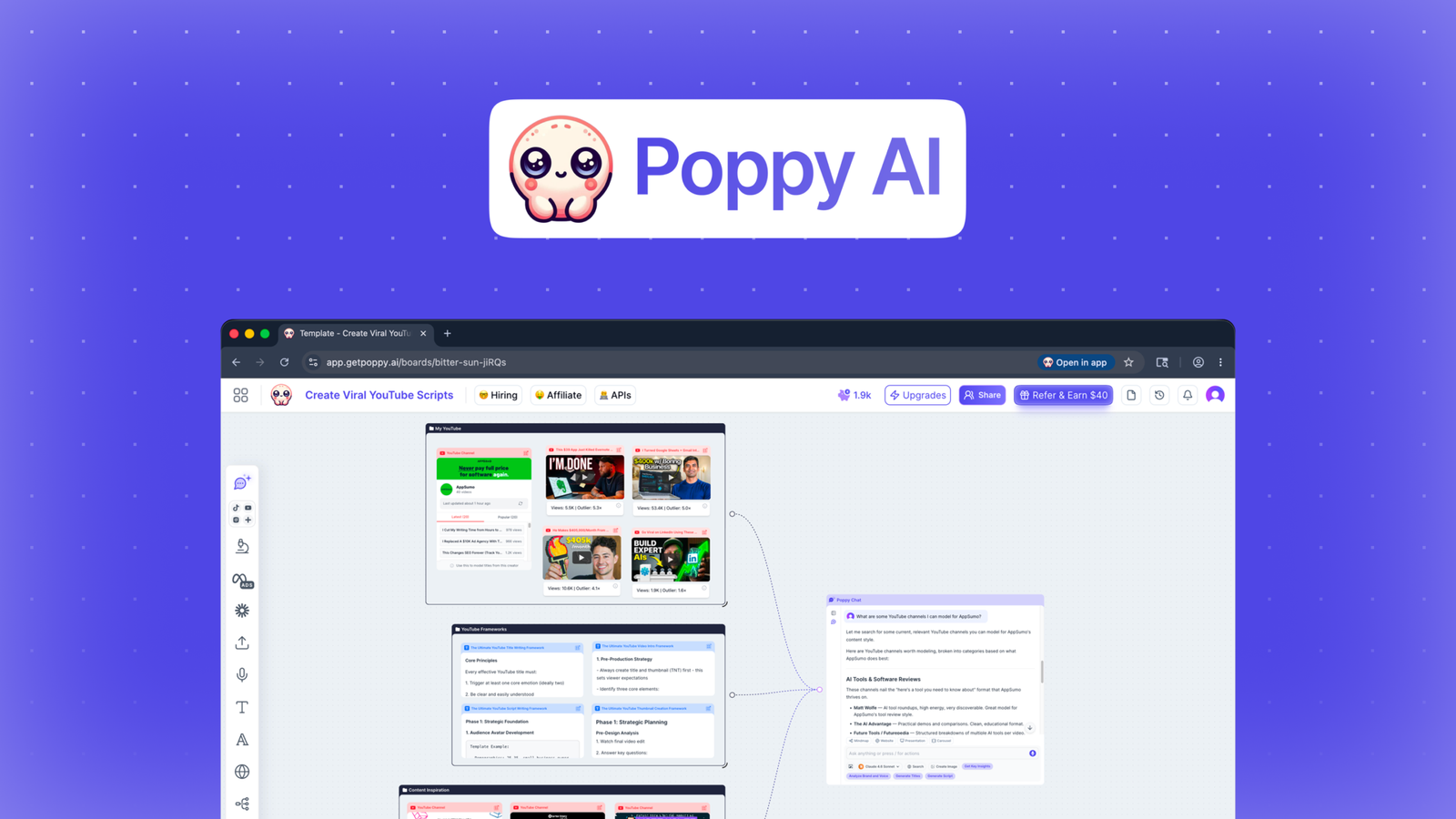
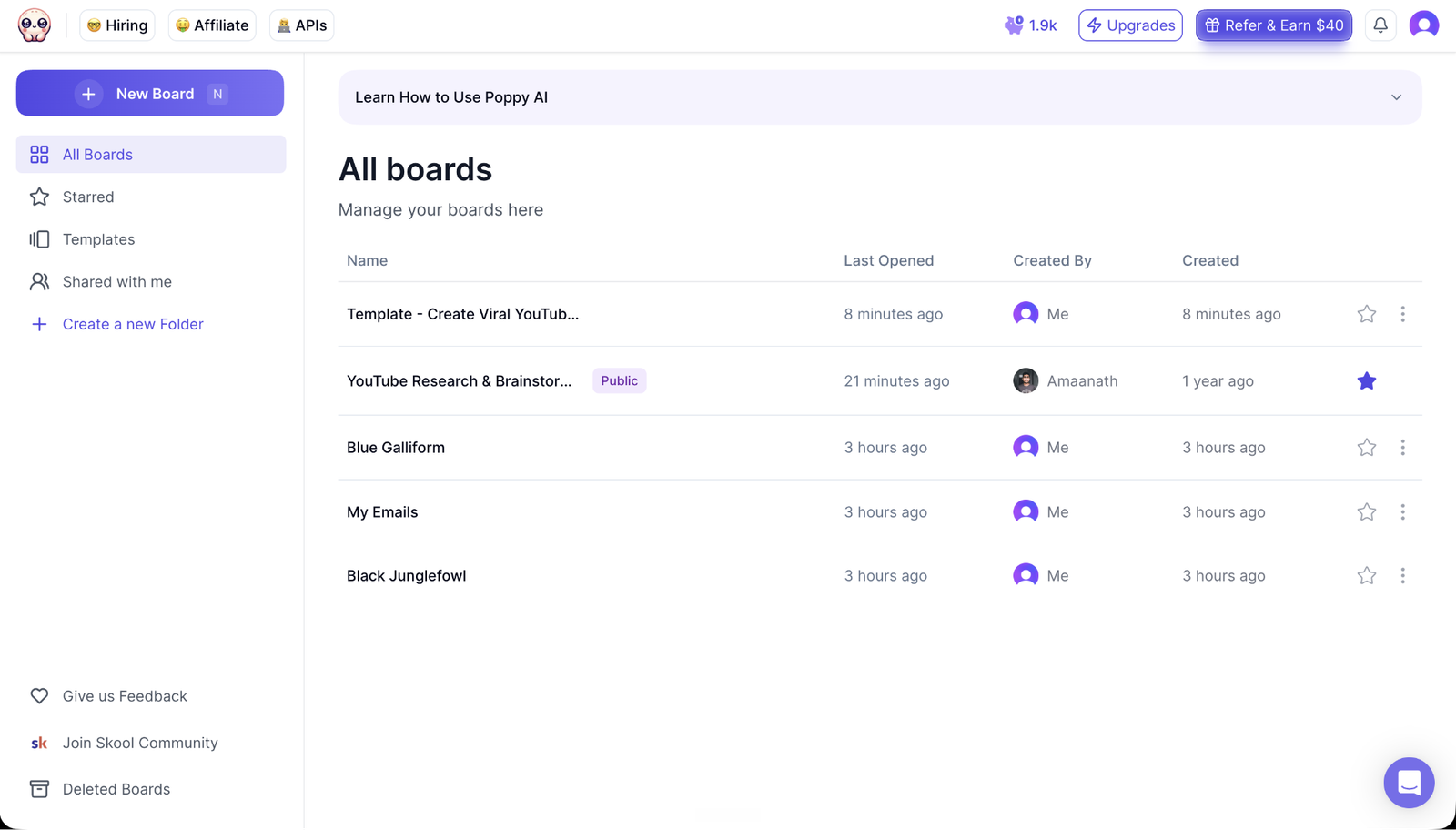
Rather than functioning as another standalone AI chatbot, Poppy AI introduces a visual workspace where you can collect videos, documents, voice notes, websites, images, and social media content into a single canvas. From there, the platform helps transform those sources into blog posts, YouTube scripts, emails, marketing campaigns, and other content without constantly switching between apps.
In this review, we’ll take an objective look at what Poppy AI does well, where it still has room to improve, how real users feel about the platform, and whether it’s worth paying for in 2026.
What Makes Poppy AI Different?
The AI writing space has become crowded with tools promising faster content creation. However, most still rely on the same workflow:
Open a chatbot → explain your project → upload files → rewrite prompts repeatedly.
Poppy AI takes a different route.
Instead of asking users to explain their research every time, the platform lets you drag and drop almost everything directly onto a collaborative visual board. That includes:
- YouTube videos
- PDFs
- Websites
- Voice recordings
- Images
- TikTok videos
- Instagram posts
- LinkedIn content
- X (Twitter) posts
- Marketing assets
Official website: https://getpoppy.ai
Once these resources are connected, the AI understands the surrounding context and generates content based on the actual source material instead of relying solely on manual prompting.
That seemingly small difference changes how many creators work. Rather than starting with an empty chat window, users begin with organized information, making brainstorming and drafting feel significantly more structured.
Another standout capability is access to multiple leading AI models within the same workspace. Instead of committing to only one model, users can leverage different AI engines while keeping all project context intact.
For marketers, agencies, and creators managing several projects simultaneously, this unified workflow is arguably Poppy AI’s strongest advantage.
Core Features That Stand Out
Poppy AI includes a growing collection of AI-powered productivity tools, but several features consistently distinguish it from traditional AI assistants.
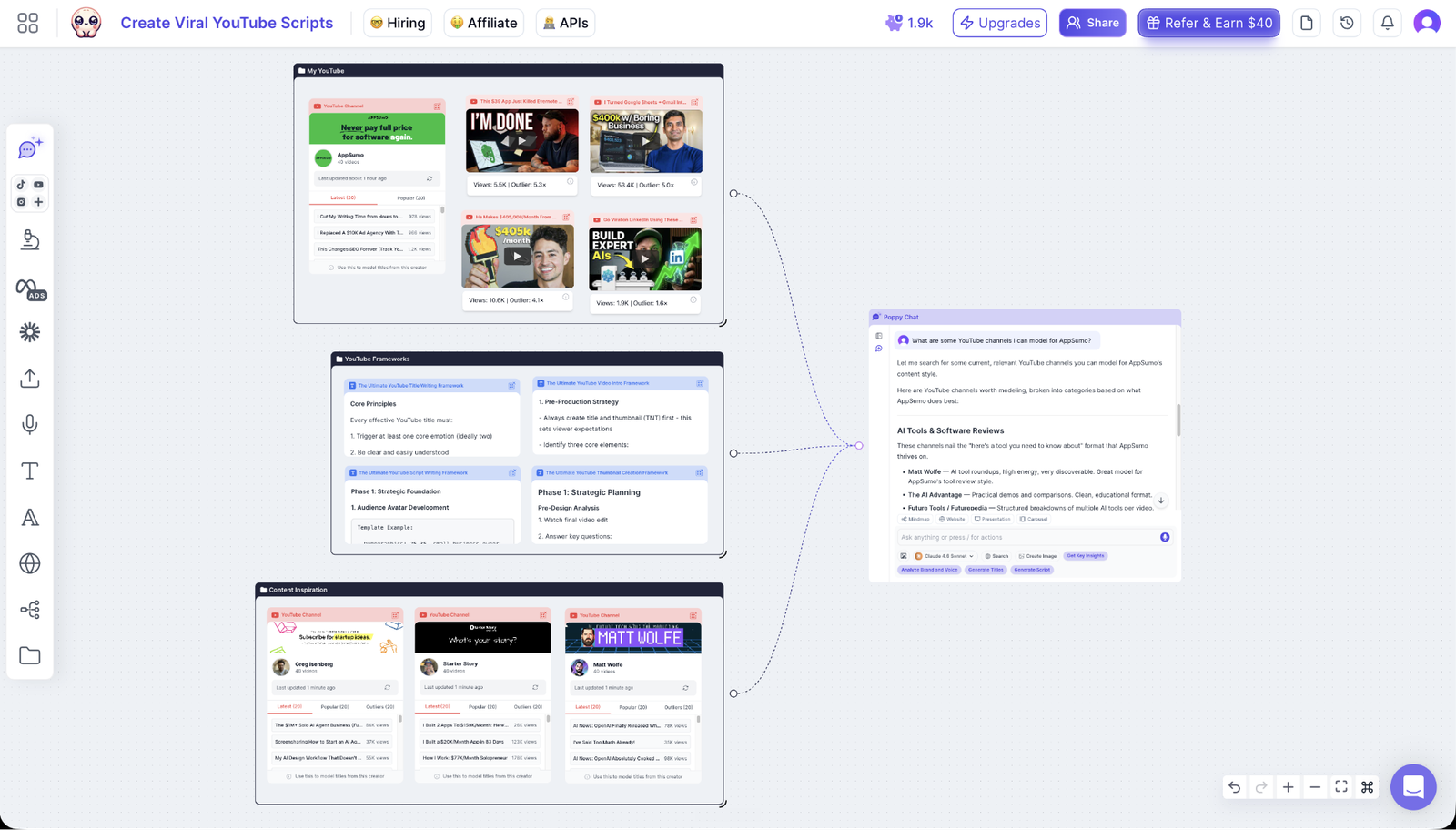
Visual AI Canvas
Instead of displaying conversations as endless chat threads, Poppy AI presents projects on an infinite visual canvas.
Research, notes, outputs, videos, and AI conversations remain connected visually, making it easier to understand complex projects.
For creators handling multiple campaigns or long-form research, this organization alone can reduce considerable friction.
Import Almost Any Content Source
One of the platform’s biggest strengths is its broad import capability.
Users can pull information from:
| Content Source | Supported |
|---|---|
| YouTube Videos | ✅ |
| PDFs | ✅ |
| Websites | ✅ |
| Voice Notes | ✅ |
| Images | ✅ |
| ✅ | |
| TikTok | ✅ |
| ✅ | |
| X (Twitter) | ✅ |
Rather than copying transcripts manually, Poppy AI analyzes these materials directly within your workspace before generating content.
AI Writing That Learns Your Style
Many AI writing assistants still produce text that feels generic.
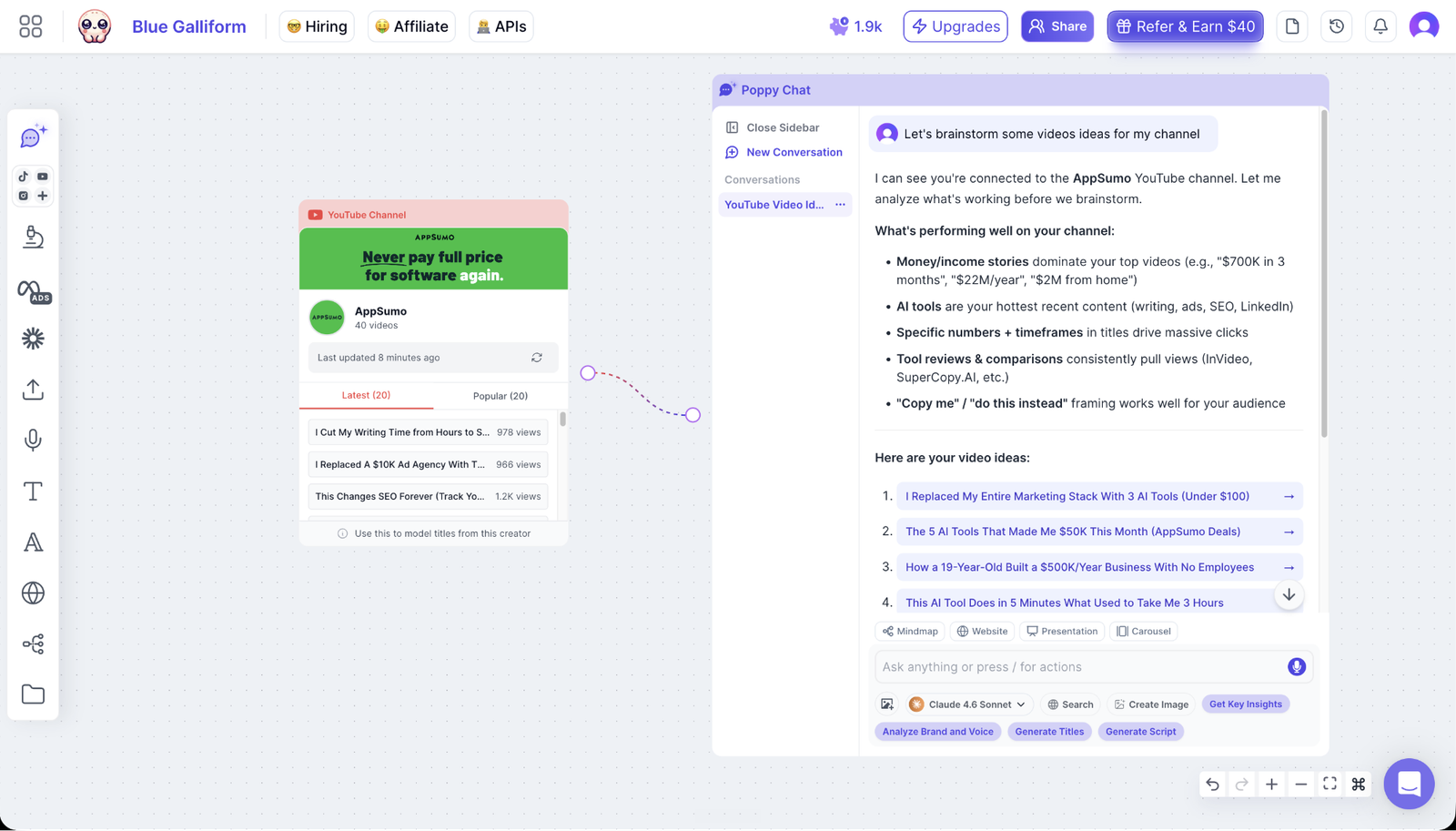
Poppy AI attempts to reduce this issue by learning from uploaded materials, previous writing samples, and connected sources.
The goal isn’t simply producing content faster—it’s maintaining a more consistent brand voice across different projects.
This is particularly valuable for agencies managing multiple clients or creators publishing content regularly.
Research Without Endless Tabs
Research often consumes more time than writing.
Instead of opening twenty browser tabs, creators can place everything inside one board and ask contextual questions such as:
- Summarize this podcast.
- Compare these competitors.
- Extract key arguments.
- Find recurring themes.
- Build an outline from these sources.
The result is less time spent organizing information and more time creating finished content.
Collaborative Workspace
Unlike many AI writing tools built primarily for individuals, Poppy AI also emphasizes collaboration.
Multiple users can work inside the same visual project while AI assists with brainstorming, outlining, and drafting simultaneously.
For marketing teams and agencies, this collaborative approach eliminates much of the context switching that typically happens between documents, messaging apps, and AI chats.
Real-World Use Cases
Poppy AI isn’t designed for only one type of creator.
Its workflow adapts surprisingly well across different industries.
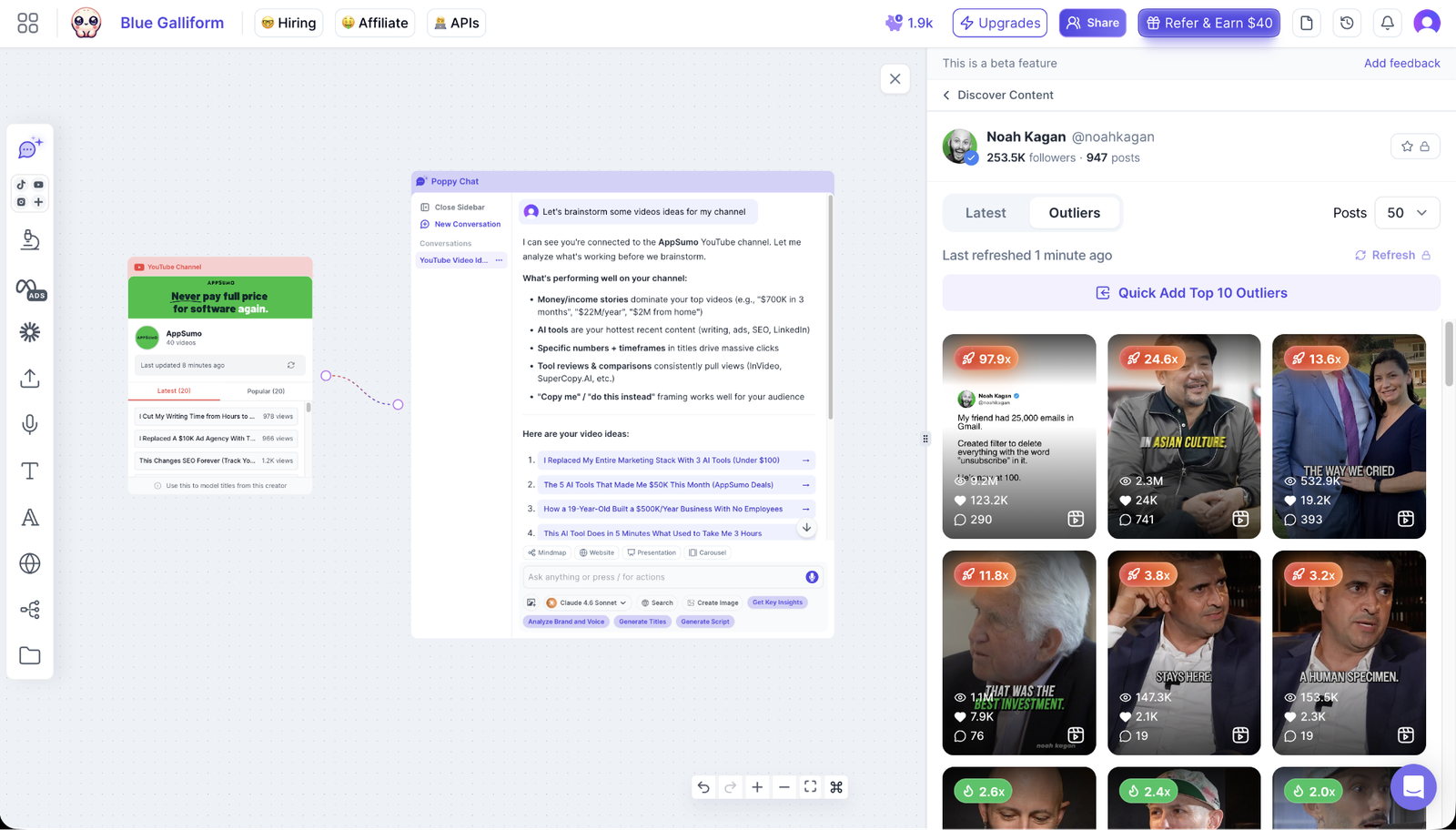
A YouTube creator, for example, might upload several competitor videos, extract important talking points, identify content gaps, and generate a fresh script without manually taking notes.
A marketing agency can organize client websites, previous campaigns, brand guidelines, and competitor research into one board before creating ad copy, landing pages, or email sequences.
Meanwhile, freelancers and consultants often use the platform to centralize client documents, meeting recordings, and research materials before producing reports or proposals.
Small business owners can also benefit by turning product information, customer FAQs, and existing marketing assets into consistent content for blogs, newsletters, and social media without rebuilding context for every new prompt.
Rather than replacing creativity, Poppy AI works best as a research and organization layer sitting between information gathering and content creation.
That positioning helps explain why many users describe it as more than just another AI writer.
What Real Users Are Saying
One of the most interesting aspects of researching Poppy AI is the consistency found across customer feedback.
While every software product receives mixed opinions, several themes appeared repeatedly in user reviews from both AppSumo and Trustpilot.
The first recurring observation is the platform’s onboarding experience.
Numerous users specifically praised the live onboarding sessions, mentioning that team members took time to explain workflows, answer questions, and tailor recommendations to individual business needs. Rather than relying solely on documentation or chatbots, many reviewers felt supported during the learning process.
Another commonly mentioned benefit is time savings.
Content creators frequently reported cutting down hours of research and script preparation by importing videos, documents, and other materials directly into Poppy AI instead of manually organizing everything themselves.
Several experienced AI users—even those already investing heavily in AI software—described Poppy AI as a valuable addition because it focuses on organizing context rather than replacing existing language models.
Areas Where Poppy AI Could Improve
Although the overall customer sentiment is overwhelmingly positive, no software is perfect. Looking beyond the high ratings reveals a few recurring concerns worth considering before purchasing.
The biggest drawback is pricing. Unlike many AI writing tools that offer a generous free plan or low-cost entry point, Poppy AI positions itself as a premium productivity platform. For solo creators just experimenting with AI, the initial investment may feel higher than expected.
Some users also mentioned wanting greater transparency around subscription management and billing. One reviewer expressed frustration with the cancellation process and repeated payment attempts after deciding not to renew. While this appeared to be an isolated complaint among mostly positive reviews, it’s still worth noting because subscription flexibility matters to many buyers.
There’s also a learning curve.
The visual canvas is one of Poppy AI’s greatest strengths, but it’s different from the familiar chatbot interface most people already know. New users may need a little time—and ideally the onboarding session—to fully understand how to organize projects effectively.
Finally, like any AI-powered platform, the quality of the output still depends on the quality of the source material. If you upload weak or incomplete information, you shouldn’t expect perfect results without refining your inputs.
Pricing and Lifetime Deal
Poppy AI is available through its official website:
Official website: https://getpoppy.ai
For users looking for a one-time purchase instead of recurring monthly payments, Poppy AI has also been featured on AppSumo with several lifetime deal tiers.
At the time of the provided AppSumo source, the pricing included:
| License Tier | Lifetime Price | Monthly Credits |
|---|---|---|
| Tier 1 | $279 | 500 |
| Tier 2 | $539 | 1,000 |
| Tier 3 | $989 | 2,000 |
| Tier 4 | $1,379 | 3,000 |
These lifetime licenses include features such as:
- Unlimited boards
- Access to multiple AI models
- Importing YouTube and social media content
- AI script and copy generation
- Collaborative workspaces
- Chatbot access
- API access on higher tiers
- White-label chatbot support on eligible plans
As with any AppSumo promotion, lifetime deals are time-limited, so availability and pricing may change after the campaign ends.
If you’re considering Poppy AI primarily because of the lifetime offer, it’s worth comparing the one-time investment against the long-term subscription costs of competing AI writing platforms.
View AppSumo Lifetime Deal
Pros and Cons
| Pros | Cons |
|---|---|
| Unique visual AI workspace unlike traditional chatbots | Premium pricing may not suit every budget |
| Supports YouTube, PDFs, websites, voice notes, and social content | Visual workflow requires some learning |
| Excellent onboarding and responsive customer support | Limited public information about advanced enterprise features |
| Helps maintain a consistent brand voice | AI output still depends on quality source material |
| Great for research-heavy content workflows | Not every creator needs such an advanced workspace |
Best Alternatives
While Poppy AI stands out for its visual-first workflow, it isn’t the right fit for everyone.
ChatGPT
If your work mainly involves brainstorming, quick writing, or coding, ChatGPT remains one of the most versatile AI assistants available. However, it doesn’t provide the same integrated visual workspace or source organization.
Claude
Claude is often preferred for analyzing long documents and generating thoughtful long-form writing. It’s an excellent choice if document reasoning is your top priority, though it lacks Poppy AI’s collaborative canvas.
Jasper
Jasper continues to be a strong option for businesses focused on marketing copy, brand consistency, and campaign management. Teams deeply invested in structured marketing workflows may appreciate its specialized templates.
Miro + AI
If your primary need is visual brainstorming rather than AI-powered content generation, Miro offers excellent collaboration features. That said, you’ll typically need additional AI tools alongside it to match Poppy AI’s writing capabilities.
Final Verdict
Poppy AI isn’t trying to replace ChatGPT or Claude—it takes a different approach by organizing the entire content creation process before the writing even begins.
Its greatest strengths lie in combining research, brainstorming, AI writing, and collaboration inside a single visual environment. That makes it especially appealing for content creators, marketing agencies, social media managers, and small businesses handling complex projects with multiple information sources.
Customer feedback also reinforces this impression. Across the reviews analyzed, users consistently highlighted excellent onboarding, responsive support, meaningful time savings, and a workflow that feels more intuitive once mastered. Even experienced AI users frequently described the platform as something that complements—not merely duplicates—their existing AI toolkit. At the same time, prospective buyers should weigh the premium pricing, the learning curve associated with the visual interface, and occasional concerns about subscription management before making a decision.
If your biggest frustration is constantly jumping between browser tabs, transcripts, documents, and AI chats, Poppy AI offers one of the more distinctive solutions currently available. The visual workspace isn’t just a design choice—it fundamentally changes how research and content development come together. For users who value organization as much as generation, it’s a compelling platform that deserves serious consideration.
Claim Lifetime Deal
Frequently Asked Questions
Does Poppy AI cost money?
Yes. Poppy AI is a paid platform. Pricing depends on the subscription or lifetime license available through the official website or promotional partners such as AppSumo.
Is Poppy AI free?
At the time of the available sources, there isn’t a permanently free version designed for ongoing use. Prospective users should check the official website for the latest trial or promotional offers.
What is Poppy AI used for?
Poppy AI helps creators organize research and transform it into blogs, YouTube scripts, emails, social media posts, marketing campaigns, and other written content using AI within a visual workspace.
Can Poppy AI watch YouTube videos?
Not in the human sense. However, it can import and analyze YouTube content, extract useful information, summarize videos, and use that context to generate new content based on the imported material.
Is Poppy AI worth it?
For creators who regularly work with multiple information sources, the answer is generally yes. The platform goes beyond simple AI writing by solving the organizational challenges that often slow down content production. If your workflow mainly consists of quick prompts and short conversations, a traditional chatbot may be sufficient.
🚀 Don’t Stop at One Tool — Here Are 3 More Lifetime Deals Worth Exploring
If Poppy AI looks interesting but you’d like to compare a few other lifetime AI tools before deciding, the following options are worth a look. Each solves a slightly different content creation challenge, so the best choice depends on your workflow rather than simply choosing the most feature-rich platform.
Castmagic – Best for Repurposing Long-Form Content
If your workflow revolves around podcasts, webinars, interviews, or long-form videos, Castmagic is a compelling alternative. Instead of focusing on visual brainstorming, it specializes in transforming lengthy content into blog posts, newsletters, social media updates, and marketing copy with minimal manual effort.
Best for: Podcasters, coaches, educators, and video creators.
Subscribr – Built for YouTube Creators
Creators who primarily publish on YouTube may find Subscribr a better fit. It’s designed specifically for video ideation, scripting, audience research, and channel growth, making it an excellent companion or alternative to Poppy AI for video-first businesses.
Best for: YouTubers, faceless channels, and video marketing teams.
Writeseed – Budget-Friendly AI Writing with a Lifetime Deal
If you’re mainly looking for an affordable AI writing assistant rather than a complete visual workspace, Writeseed is worth considering. It focuses on SEO articles, marketing copy, emails, product descriptions, and everyday content creation, while offering one of the more accessible lifetime deals for freelancers and small businesses.
Best for: Bloggers, copywriters, affiliate marketers, and small business owners.
Editor’s Note: Poppy AI is an excellent choice for organizing complex research and creating content from multiple sources. However, if your needs are more specialized—such as repurposing videos, growing a YouTube channel, or producing SEO content on a tighter budget—these lifetime deal alternatives may provide a better fit for your workflow while avoiding recurring monthly subscriptions.