


Client onboarding is one of those business processes that seems simple until you start scaling.
What begins as a few welcome emails, intake forms, kickoff meetings, and shared documents can quickly become a tangled mess of spreadsheets, missed follow-ups, delayed responses, and frustrated clients.
That’s where AI-powered onboarding software has become incredibly valuable.
Modern onboarding platforms don’t just automate repetitive tasks. They can generate forms, personalize workflows, schedule meetings, collect information, trigger reminders, summarize customer data, and coordinate handoffs across teams.
The result is a smoother experience for both businesses and clients.
After evaluating today’s leading platforms, analyzing user feedback, studying onboarding workflows, and comparing automation capabilities, these are the best AI tools for client onboarding available right now.
What Makes a Great AI Client Onboarding Tool?
Not every onboarding platform deserves the AI label.
Some tools simply add a chatbot and call it innovation. The best solutions actually reduce manual work while improving the overall customer experience.
When evaluating tools for this guide, several factors stood out.
- Workflow automation
- AI-assisted task creation
- Client intake management
- CRM integrations
- Automated communication
- Collaboration capabilities
- Reporting and visibility
- Scalability for growing teams
The strongest platforms help businesses eliminate repetitive onboarding work without making the process feel robotic.
Quick Comparison Table
| Tool | Best For | Key AI Features | Starting Price |
|---|---|---|---|
| HubSpot | Growing businesses | AI assistant, workflow automation, CRM intelligence | Free plan available |
| ClickUp | Agencies and service teams | AI writing, project automation | Free plan available |
| Monday.com | Operations-heavy businesses | AI workflow generation | Free plan available |
| Zapier | Cross-platform automation | AI-powered workflow creation | Free plan available |
| Notion | Freelancers and consultants | AI documentation and knowledge management | Free plan available |
| GuideCX | Dedicated onboarding teams | Automated onboarding workflows | Custom pricing |
| Dock | Client onboarding portals | AI-powered customer collaboration | Custom pricing |
| Process Street | SOP-driven businesses | AI workflow assistance | Free plan available |
| ClientSuccess | SaaS onboarding teams | Customer success automation | Custom pricing |
| Airtable | Custom onboarding systems | AI field generation and automation | Free plan available |
Best AI Tools for Client Onboarding
HubSpot
Official Website: https://www.hubspot.com
HubSpot remains one of the most complete onboarding ecosystems available.
Rather than functioning as a standalone onboarding tool, it combines CRM, automation, customer communication, and AI-powered workflow management into a single platform.
One of its biggest strengths is centralization. New clients move through onboarding without information getting trapped across different tools.
Users frequently praise HubSpot’s automation capabilities and visibility. Teams can instantly see onboarding progress, client communications, completed tasks, and upcoming milestones.
Strengths
- Powerful CRM integration
- Strong workflow automation
- AI content generation
- Excellent reporting
Limitations
- Can become expensive as teams grow
- Some advanced features require higher-tier plans
Best For
Growing businesses that want onboarding, sales, and customer management under one roof.
ClickUp
Official Website: https://clickup.com
ClickUp has evolved far beyond project management.
Today, many agencies use it as their entire onboarding system.
Its AI capabilities help generate onboarding documents, task lists, meeting notes, and workflow templates.
What users consistently appreciate is flexibility.
Instead of forcing a predefined onboarding structure, ClickUp allows teams to build highly customized experiences.
Agency owners often report that onboarding becomes significantly more organized once every step is documented inside repeatable templates.
Strengths
- Extremely customizable
- Strong AI writing features
- Excellent agency workflows
- Affordable pricing
Limitations
- Learning curve for new users
- Interface can feel overwhelming initially
Best For
Marketing agencies, web design firms, and consulting businesses.
Monday.com
Official Website: https://monday.com
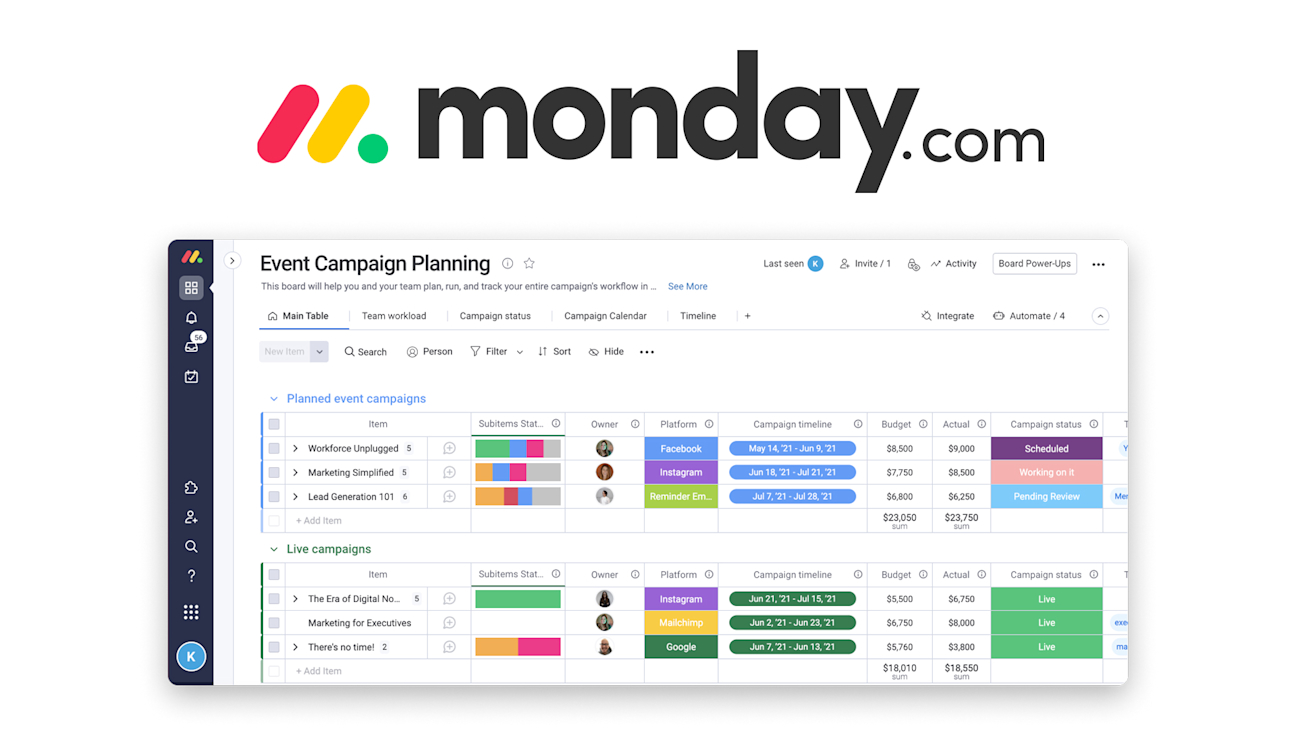
Monday.com has become increasingly popular among operations teams seeking better onboarding visibility.
Its AI tools help automate repetitive processes, generate workflows, and streamline project intake.
A common theme among users is improved team coordination.
Departments involved in onboarding can track responsibilities without relying on endless status meetings.
The visual dashboard system is particularly useful for businesses onboarding large numbers of clients simultaneously.
Strengths
- Visual workflow management
- Strong automation tools
- User-friendly interface
- Good collaboration features
Limitations
- AI functionality still developing compared to some competitors
- Advanced automation requires premium plans
Best For
Operations-focused businesses managing multiple onboarding projects.
Zapier
Official Website: https://zapier.com
Zapier isn’t technically onboarding software.
Yet many businesses rely on it to power their entire onboarding infrastructure.
The platform connects thousands of applications and automates actions between them.
A typical onboarding workflow might automatically:
- Create a CRM record
- Send welcome emails
- Generate contracts
- Schedule meetings
- Create project tasks
- Notify team members
Users frequently describe Zapier as the invisible engine running their onboarding process.
Its AI workflow builder has made automation much more accessible for non-technical users.
Strengths
- Massive integration ecosystem
- Powerful automation capabilities
- AI-assisted workflow creation
- Saves significant manual effort
Limitations
- Requires multiple connected tools
- Complex workflows may need troubleshooting
Best For
Businesses already using multiple SaaS platforms.
Notion
Official Website: https://www.notion.so
Notion has become a favorite among freelancers, consultants, and smaller service businesses.
The platform combines documentation, client portals, onboarding guides, project tracking, and AI assistance.
Many users initially adopt Notion for documentation but eventually build complete onboarding systems around it.
Its biggest advantage is simplicity.
Clients often appreciate receiving a single onboarding hub rather than navigating multiple platforms.
Strengths
- Excellent documentation
- Strong AI writing assistant
- Client portal capabilities
- Affordable pricing
Limitations
- Limited automation compared to dedicated platforms
- May require integrations for advanced workflows
Best For
Freelancers, coaches, and consultants.
GuideCX
Official Website: https://www.guidecx.com
GuideCX was built specifically for customer onboarding.
Unlike general-purpose project management tools, every feature revolves around onboarding execution.
Customer success teams consistently highlight improved visibility and accountability.
Clients know what’s expected. Internal teams know what’s overdue.
This clarity often shortens onboarding timelines significantly.
Strengths
- Purpose-built onboarding platform
- Client-facing progress tracking
- Strong stakeholder management
- Excellent onboarding visibility
Limitations
- More specialized than broader platforms
- Pricing may not suit smaller businesses
Best For
Dedicated onboarding and implementation teams.
Dock
Official Website: https://www.dock.us
Dock focuses heavily on client collaboration.
Its onboarding portals provide a centralized place for communication, resources, action items, and project progress.
Users often mention that Dock creates a more professional onboarding experience.
Instead of scattered emails and attachments, clients receive a structured onboarding environment.
Strengths
- Excellent client experience
- Collaborative onboarding portals
- Strong customer engagement
- Modern interface
Limitations
- Less workflow automation than some competitors
- Higher value for B2B organizations
Best For
Customer-facing teams focused on experience.
Process Street
Official Website: https://www.process.st
Process Street excels at repeatable onboarding processes.
Businesses with standardized onboarding journeys often see significant gains from its checklist-driven approach.
Users frequently praise its ability to reduce human error.
When every step follows a documented process, onboarding becomes far more consistent.
Strengths
- SOP management
- Workflow automation
- Process consistency
- Strong accountability
Limitations
- Less collaborative than client portal tools
- Focuses heavily on process execution
Best For
Teams managing highly repeatable onboarding workflows.
Airtable
Official Website: https://www.airtable.com
Airtable sits somewhere between a database, project management tool, and automation platform.
Its newer AI capabilities make it increasingly attractive for onboarding workflows.
Many advanced users build entirely custom onboarding systems inside Airtable.
The tradeoff is flexibility versus simplicity.
Those willing to invest setup time often create highly efficient onboarding environments.
Strengths
- Highly customizable
- Powerful data management
- Flexible automation
- AI-enhanced workflows
Limitations
- Requires setup effort
- Less beginner-friendly
Best For
Businesses wanting a customized onboarding solution.

Best Tools by Business Type
Best for Freelancers
Notion offers the simplest combination of client portals, documentation, and AI assistance.
Best for Agencies
ClickUp delivers exceptional flexibility for managing multiple client onboarding workflows simultaneously.
Best for Consultants
HubSpot provides a professional onboarding experience alongside customer relationship management.
Best for SaaS Companies
GuideCX excels at structured onboarding and customer implementation projects.
Best Enterprise Option
Monday.com offers scalability, visibility, and operational control across large teams.
Real Client Onboarding Workflows You Can Automate
Agency Client Intake
A new client submits a form.
AI automatically:
- Creates a project
- Assigns team members
- Generates onboarding tasks
- Sends welcome emails
- Schedules kickoff meetings
Consultant Discovery Process
Client responses are collected.
AI summarizes requirements, generates meeting notes, and prepares recommendations before the first call.
SaaS Customer Onboarding
New accounts trigger onboarding sequences, training resources, stakeholder assignments, and progress tracking automatically.
Coaching Program Enrollment
Clients receive personalized onboarding materials, questionnaires, scheduling links, and resource libraries without manual intervention.
Common Mistakes When Choosing Client Onboarding Software
Many businesses focus too heavily on AI features while ignoring workflow fundamentals.
A sophisticated AI assistant won’t help if integrations are poor.
Another common mistake is purchasing enterprise-level software too early.
Smaller businesses often achieve better results with simpler systems that are easier to maintain.
It’s also worth evaluating client experience directly.
Some highly automated onboarding systems feel efficient internally but create confusion externally.
The best solutions balance automation with clarity.
How We Evaluated These Tools
Our recommendations were based on several factors:
- AI functionality
- Workflow automation depth
- Ease of implementation
- Customer feedback patterns
- Integration ecosystem
- Pricing value
- Scalability
- Client experience quality
Particular attention was given to recurring user sentiment rather than marketing claims.
Consistent praise around reliability, visibility, and automation carried more weight than isolated feature announcements.
Final Recommendations
Choosing the right onboarding platform depends heavily on your workflow.
If you want the best overall platform, HubSpot offers the strongest balance of CRM functionality, automation, and scalability.
For agencies, ClickUp provides unmatched flexibility and customization.
For businesses prioritizing automation, Zapier remains one of the most powerful workflow engines available.
Teams focused specifically on customer onboarding should seriously consider GuideCX, while freelancers and consultants will likely find Notion delivers the best balance of simplicity and functionality.
The most successful onboarding systems aren’t necessarily the most advanced. They’re the ones that consistently create a smoother experience for both your team and your clients.
Best Lifetime Deal for Customer Onboarding
Produktly
Why Consider This Tool
If your goal is creating a smoother onboarding experience inside your product, Produktly focuses specifically on customer onboarding, product tours, checklists, and user guidance.
Best Scheduling Alternative
TidyCal
Why Consider This Tool
Client onboarding often begins with a discovery call, kickoff meeting, or consultation session. TidyCal provides a simple scheduling solution without the recurring cost of many premium calendar tools.